For this week’s task, I used Adobe Illustrator to create a minimalist Julian Opie inspired drawing.
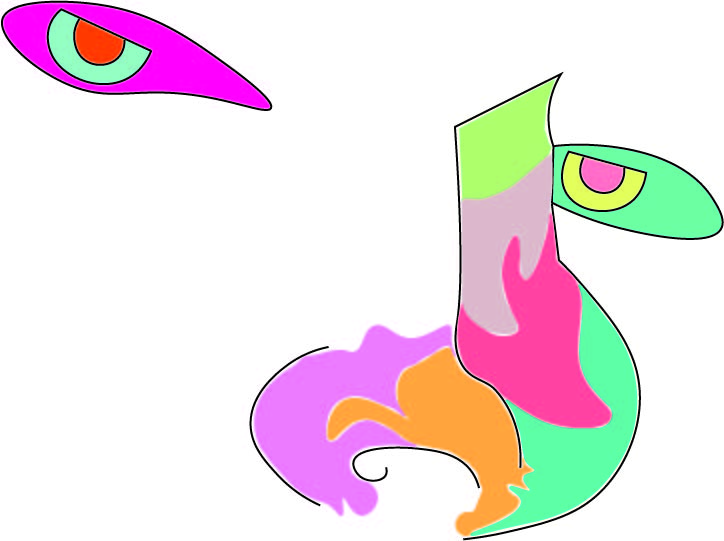
I used the curvature tool in Adobe Illustrator to create the outline around the nose and mouth, I also used the pen tool to connect the top of the nose and the top line of the eyes because I think it looked more appealing to have those lines be straight rather than curved.
I decided to use a picture of my face for the drawing because I believe it was the perfect image to test my skills and not push myself beyond my capabilities. I used my nose and eyes as guidance for the outline of the drawing and then just created random shapes and filled them with random colours.
I used the colours that I did because, as I mentioned in my previous post, I plan to use colours that are commonly associated with superheroes but also colours that are believed to increase mood.
For the colours in my drawing I mostly used the PANTONE+ Solid Coated swatch and the default Adobe CMYK swatch, but I only used one colour from the CMYK swatch. Full list of colours used below.
Nose:
PANTONE 223 C;
PANTONE 1365 C;
PANTONE 333 C;
PANTONE 709 C;
PANTONE 5035 C;
PANTONE 365 C.
Left Eye:
CMYK Magenta;
PANTONE Green 0921 C;
PANTONE Orange 021 C.
Right Eye:
PANTONE 3248 C;
PANTONE 393 C;
PANTONE 1775 C.
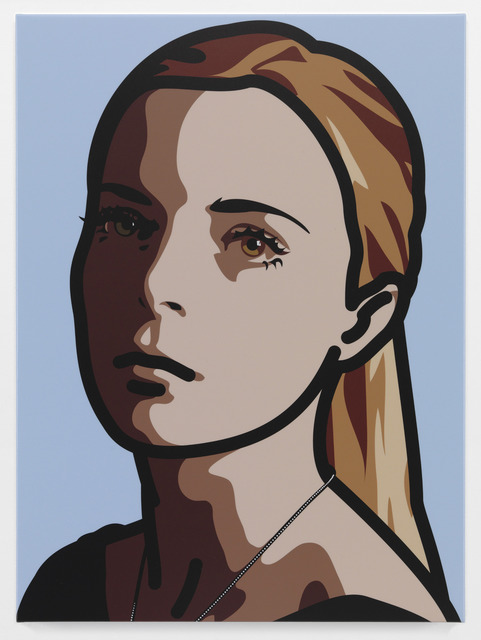
Julian Opie painting that inspired me to create the drawing I did. This piece is one
of Opie’s more colourful and shaded paintings.
Julian Opie is a painter that has inspired me for a long time. His use of paints is quite similar to vector imagery because of it’s high quality, use of linework and solid colours which are all very common aspects of vector imagery.