For this week’s task I used Adobe Photoshop and a picture I captured with my phone and combined the image with original resources to create a final piece.
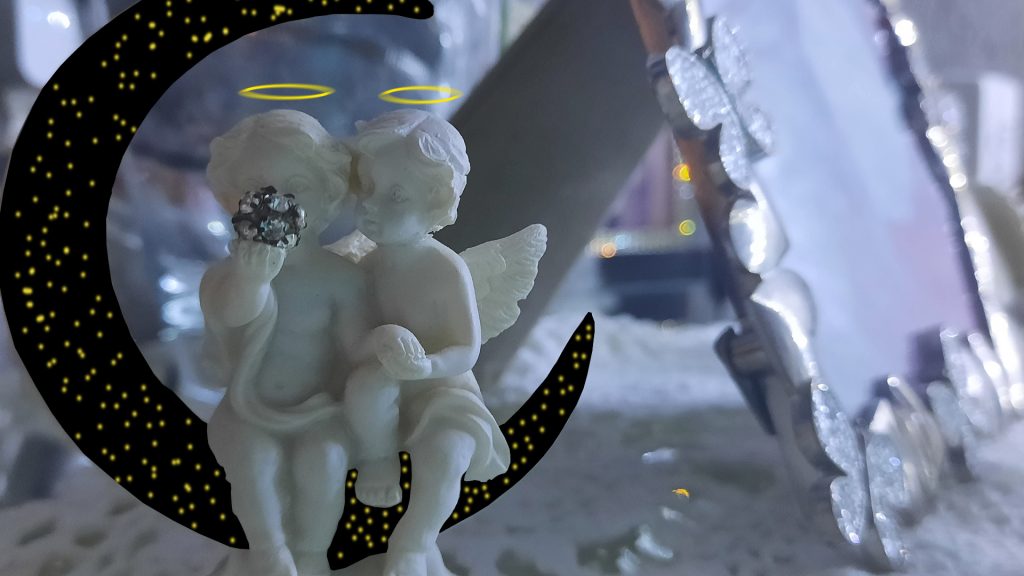

I used Adobe Photoshop to create original assets that I combined with the image of the angels ornament.
I had to rasterize (the process of converting an image into pixels so it can be edited) the original photo before I could edit it.
For the moon, I used the Polygonal Lasso Tool and manually selected points, using the moon in the original image as a guide for my points. After I had selected all the points and connected my selection, I deleted the selected area. I had to make sure the background layer was separate so that I could place the assets behind the cut out sections.
For the night sky image, I used the rectangle tool and drew a black rectangle behind the image so it occupied the space the deleted selections did. I then used the brush tool and picked a random yellow using the colour palette and then randomly spread the stars around until I was happy with the placement of all the stars. I then applied the motion blue filter to give the stars a feel that they are being viewed from far away.
For the halos, I used the ellipse tool and used the same colour I used for the stars. I drew the ellipse above the head of the angels, I then applied a motion blur filter to give the halos a more heavenly effect.
Creating this image has helped me to gather composition skills that will be useful in compiling my final poster piece.