For this week’s test, I used self captured photography and Adobe Illustrator to create a draft sketch for my final poster based around my SuperYOU logo sketch.
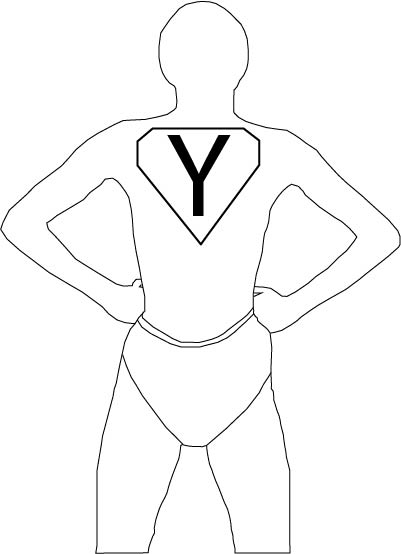
For the base of my the figure I captured an image of myself using my phone camera on a timer. I then imported the image into Adobe Illustrator and used the pen tool to outline the image. I created the shorts from memory.
I chose the pose in the image specifically because it is an iconic superhero pose, most commonly shown being performed by Superman. I also used the sketch of the SuperYOU logo for the outline of the logo on the figure’s chest. However, I did modify the ‘Y’, instead of using the hand-drawn ‘Y’ I used the text tool and the font ‘Myriad Pro’ instead because it has a nicer look to it compared to the Y that I drew.
For my final poster design, I plan to use the curvature tool to create the background. I plan to use the PANTONE+ Solid Coated swatch like I did for my “Drawing in Adobe Illustrator” post. I have chosen to continue using the PANTONE+ swatch because it includes many variations of colours, many light variations, that are commonly associated with being able to brighten people’s moods. I also plan to use the ‘Berlin Sans FB’ font like I did in the SuperYOU sketch. I will also include the SuperYOU text like I did in the original logo sketch. I will also include different types of motivational quotes like “you can do this” “you’re a good person” but also bits of advice, from online articles and from advice I’ve received from therapists.